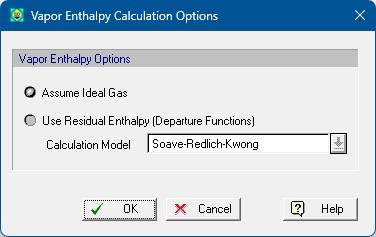
This dialog appears when you select Property Calculation Options... } Vapor Enthalpy Calculation Options... from the process file’s command menu or Edit } Process Options } Property Calculation Options... } Vapor Enthalpy Calculation Options... from the application’s main menu.
It allows the user to set the appropriate settings for the calculation of the residual gaseous enthalpy. Once the options have been set and upon exiting the dialog with OK, the settings are carried over to the Input Streams (Bulk Input Stream Dialog: Physical State Tab) and the Unit Procedures (Default Procedure Physical State Calculation Options), which in turn applies the settings to the Procedure States (Procedure State Options Dialog) and the Output/Intermediate streams exiting the procedure (Bulk Intermediate/Output Stream Dialog: Physical State Tab).
For more information on how the residual enthalpy calculations are carried out, see Residual Enthalpy Calculation Options.