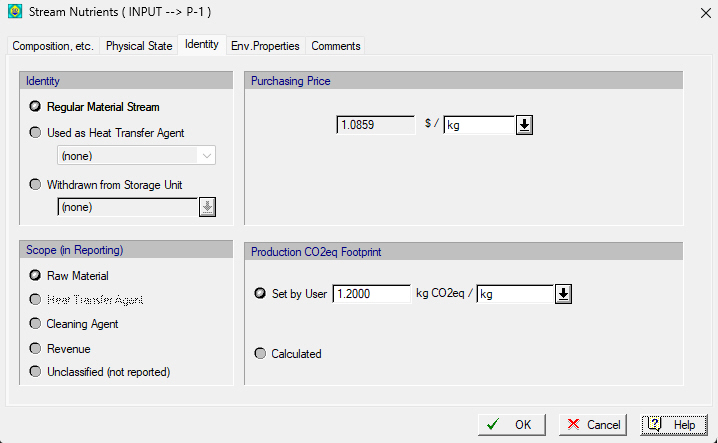
This tab is part of the Bulk Input Stream Dialog or the Discrete Input Stream Dialog that appears if you right-click on an input stream and select Simulation Data from the context menu or if you double-click on an input stream on the flowsheet. From this tab you can view and edit the stream’s identity property (see Stream Identity and Stream Identity Choices for an Input Stream). From this tab, you can also set the amount of CO2eq in kg of CO2eq per unit mass or unit volume of the total stream. These values affect the Global Warming Potential of the process as presented in the GWP report (see Global Warming Potential Report (GWP)).
See also:
● Stream Identity Choices for an Input Stream
● Stream Identity Choices for an Output Stream
● Global Warming Potential Report (GWP)