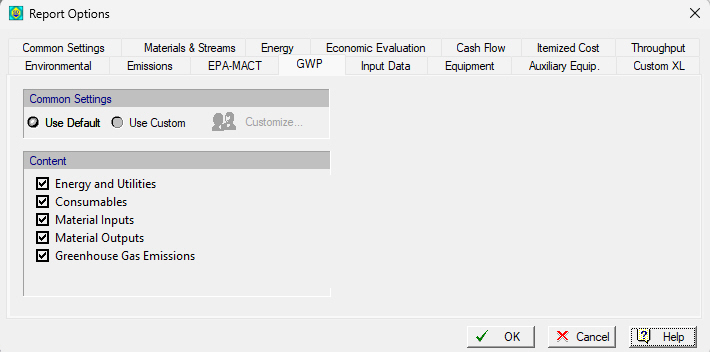
This property page is part of the Report Options Dialog which appears when you select Reports } Options from the main menu of the application.
From this dialog you can set the options that affect the appearance of the Global Warming Potential (GWP) report.
You can either use the Default options or Custom options. To customize the general options click on the ‘Customize…’ button to bring up the Report Options Dialog: General (Default) Tab interface. The changes done in general options through this interface will be applied only on the Global Warming Potential report.
A list of sections that can be included in this report is given. Select whether they are to be included by clicking on the respective “Include” checkbox on the left side of each item. Each entry in the list represents potential sources for contributors to the CO2eq total. Depending on the scope of the analysis users may opt to exclude one or more of such sources.
See also Global Warming Potential Report (GWP) for more details on each section of this report.